Doom 2 for the Pocket PC
In my previous post on Doom for the Pocket PC I fixed the demo crash, bypassed
the Serial Numbers Don't Match! check and moved the game onto the SD card. One thing that kept bugging me was that the
fourth episode, Thy Flesh Consumed, was sitting in doom1.wad but couldn’t be selected even with cheats. I always suspected
there was more to this port than what it shipped with, so I went back to it. This time I used AI (Claude) to help work through
the disassembly of Doom.exe and cp.exe. It turns out the port does a lot more than it lets on. With a few patches it
will play all four episodes of The Ultimate Doom, Doom II and both Final Doom games, Plutonia and TNT.
Using AI for the Reverse Engineering
Last time I spent a lot of hours in Ghidra and Binary Ninja just to find three branch instructions. This time I gave Claude the
original Doom.exe, cp.exe and my notes from the first post, then worked through it with it a question at a time. It
was good at the slow parts: decoding ARM instructions, following pointers between the .text and .data sections, and
matching the decompiled functions against id Software’s released linuxdoom-1.10 source code.
That last part turned out to be the key. The build paths left in the executable (C:\doomce\doomce1\…) show the port,
called “DoomCE” internally, is id’s 1.10 Linux code with a Windows CE platform layer added. Knowing that, any function in the exe
could be compared with the original to see what the port’s developers had changed.
AI doesn’t replace testing on real hardware. Every finding below was either tested on the device or checked by comparing bytes, and I’ve said which is which at the end. It did make it possible to follow leads that I would have given up on before, like tracking down a crash from a single line in a debug log.
Why Episode 4 is Missing
Doom works out which game it is running from the global gamemode value. It has four possible values:
| Value | Mode | Meant for |
|---|---|---|
| 0 | shareware |
doom1.wad, Episode 1 only |
| 1 | registered |
doom.wad, Episodes 1–3 |
| 2 | commercial |
doom2.wad, plutonia.wad, tnt.wad |
| 3 | retail |
doomu.wad, The Ultimate Doom, Episodes 1–4 |
In id’s code the function IdentifyVersion checks for each IWAD in turn and sets gamemode based on the one it finds. The Pocket PC
port removes all of that. It only ever opens doom1.wad and always sets the mode to registered:
013A74  ldr r1, ="%sdoom1.wad"          ; builds "Program Files/DoomPDA/doom1.wad"
013A8C  bl  access
013A98  ldr r0, =gamemode
013A9C  mov r1, #1                      ; gamemode = registered, always
013AA0  str r1, [r0]
013AA8  bl  D_AddFile
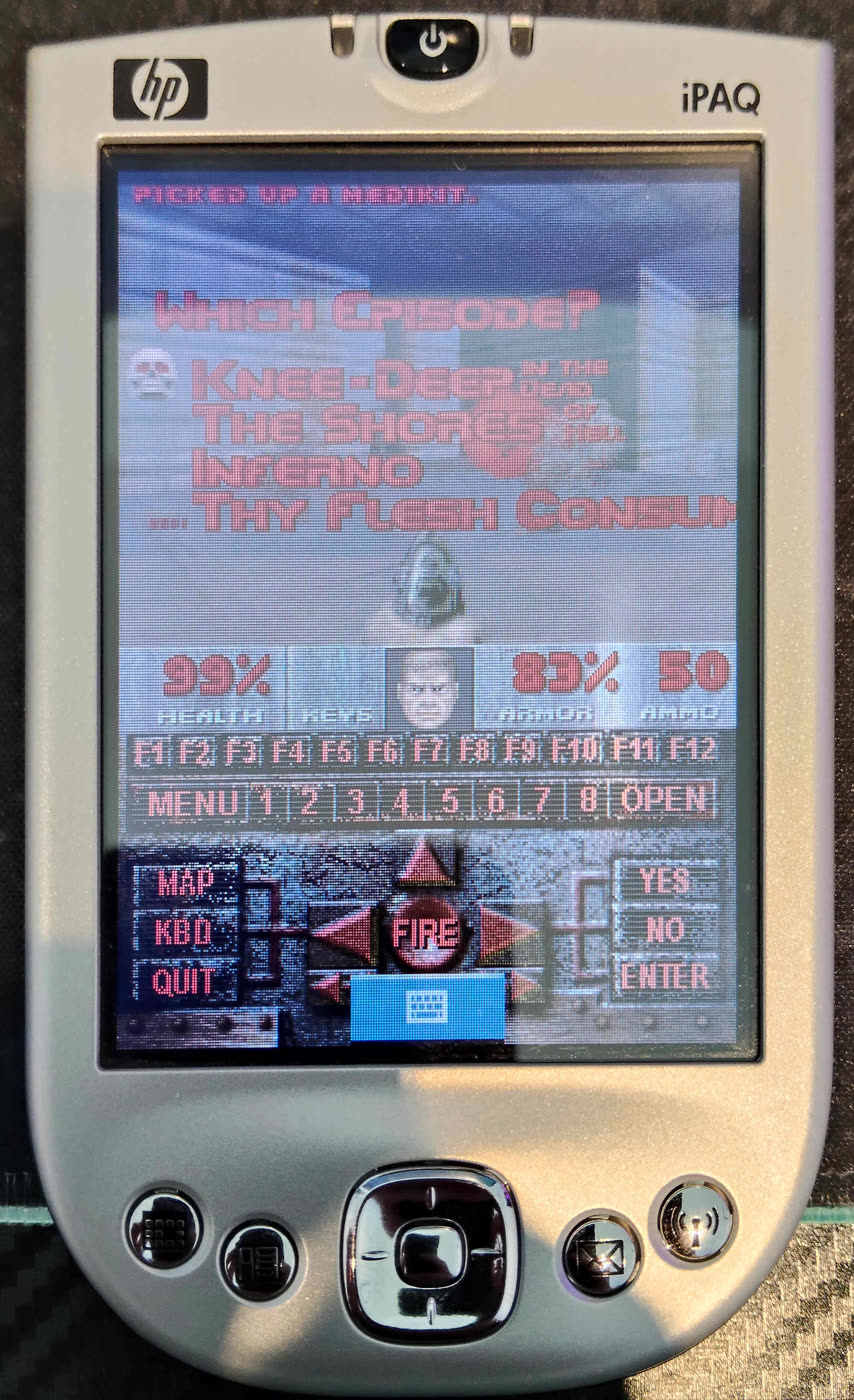
The episode menu itself is defined with all four entries, M_EPI1 to M_EPI4. All of the Episode 4 data is in the exe too, the E4M1–E4M9
level names and the SKY4 sky. But M_Init trims the menu down to three entries in registered mode, the same as id’s code does.
G_InitNew also refuses episodes above 3 unless the mode is retail, so -warp 4 1 doesn’t work either. This explains why
the fourth episode could never be reached even though it was in the WAD.
The fix is a single byte at file offset 0x2E9C, changing mov r1, #1 to mov r1, #3 (retail). The menu now keeps all four episodes.
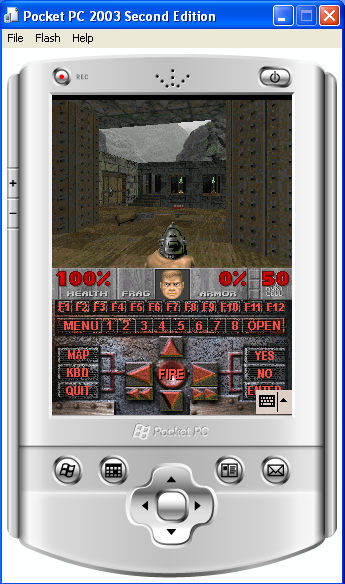
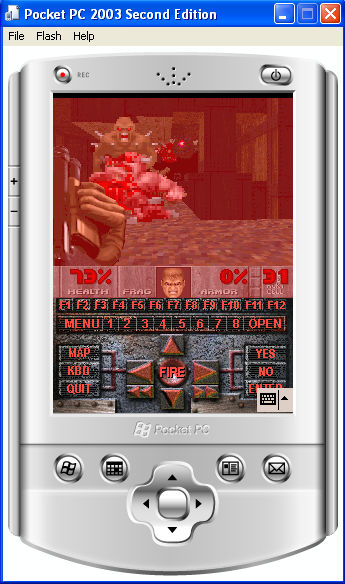
The first two levels of Thy Flesh Consumed running in the Pocket PC 2003 emulator:
This also explains the HELP2 crash from my previous post. In registered mode the title loop and the Episode 1 ending show
HELP2, while retail mode shows CREDIT instead. Since the shipped WAD is really The Ultimate Doom, which has no HELP2, the
game crashed. In retail mode the game never asks for HELP2, so that patch is no longer needed.
Doom II and Final Doom Were There All Along
Because the port is the complete 1.10 code, setting gamemode to 2 (commercial) switches on everything Doom II needs.
The MAPxx level names, the Doom II menus, intermission screens, the cast call at the end, and the extra monsters, sprites and sounds
are all still in the exe. Plutonia and TNT also run in commercial mode.
Since it is based on the 1.10 source, the Plutonia and TNT level names and story text are already in the exe as well.
The patch just points the Plutonia and TNT builds at their own text instead of Doom II’s. To make sure they were right, I compared
them against the DOS Final Doom final.exe. All 64 level names and all 12 story texts are byte-identical, down to id’s own spellings like
“hanger” and “abattoire”, and the story screens appear after the same maps.
Since the game mode is fixed in the executable rather than detected from the WAD, each game gets its own exe, and each one
loads its own WAD (DOOMU.WAD, DOOM2.WAD, PLUTONIA.WAD, TNT.WAD). They can all sit in the same folder.
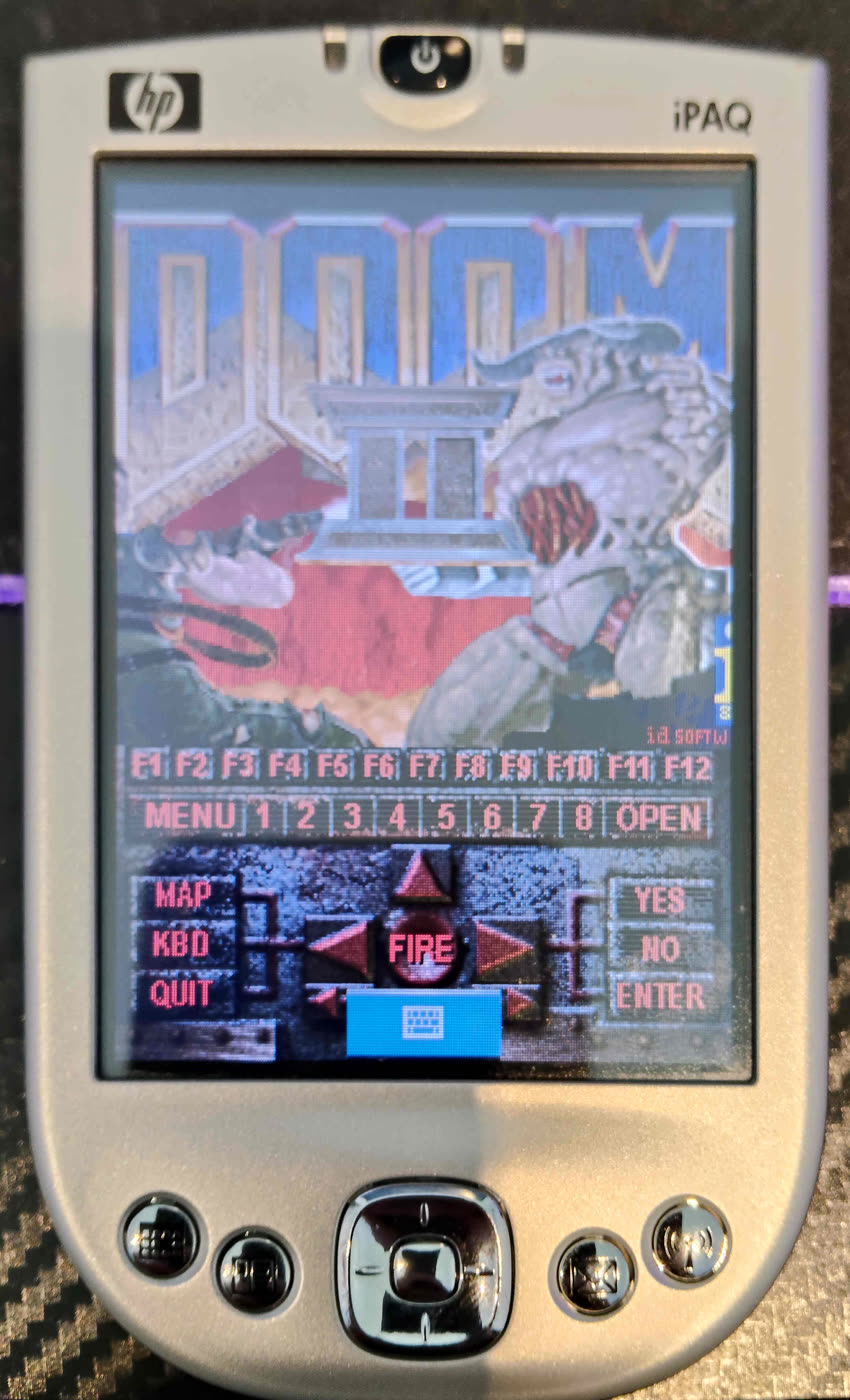
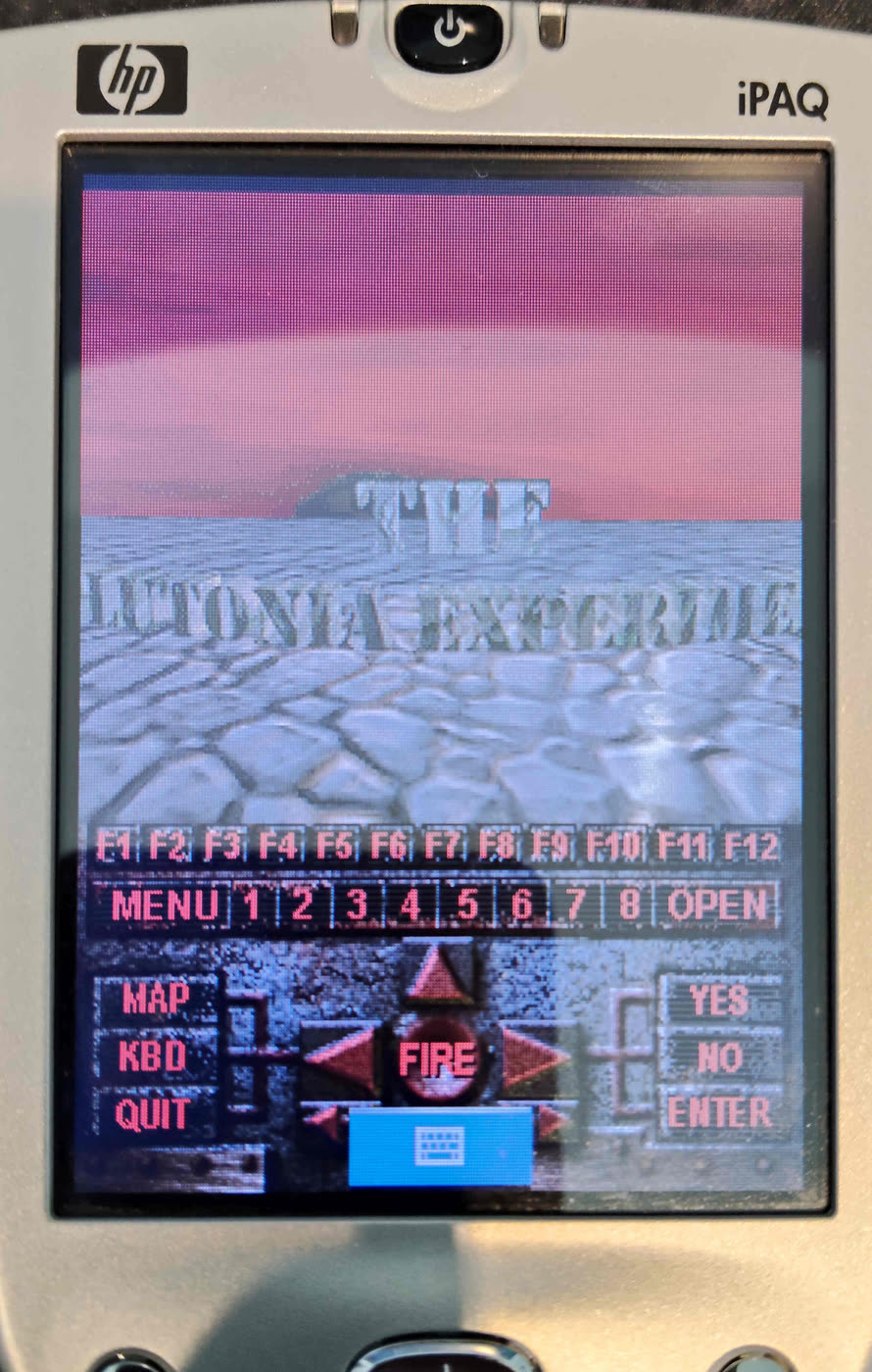
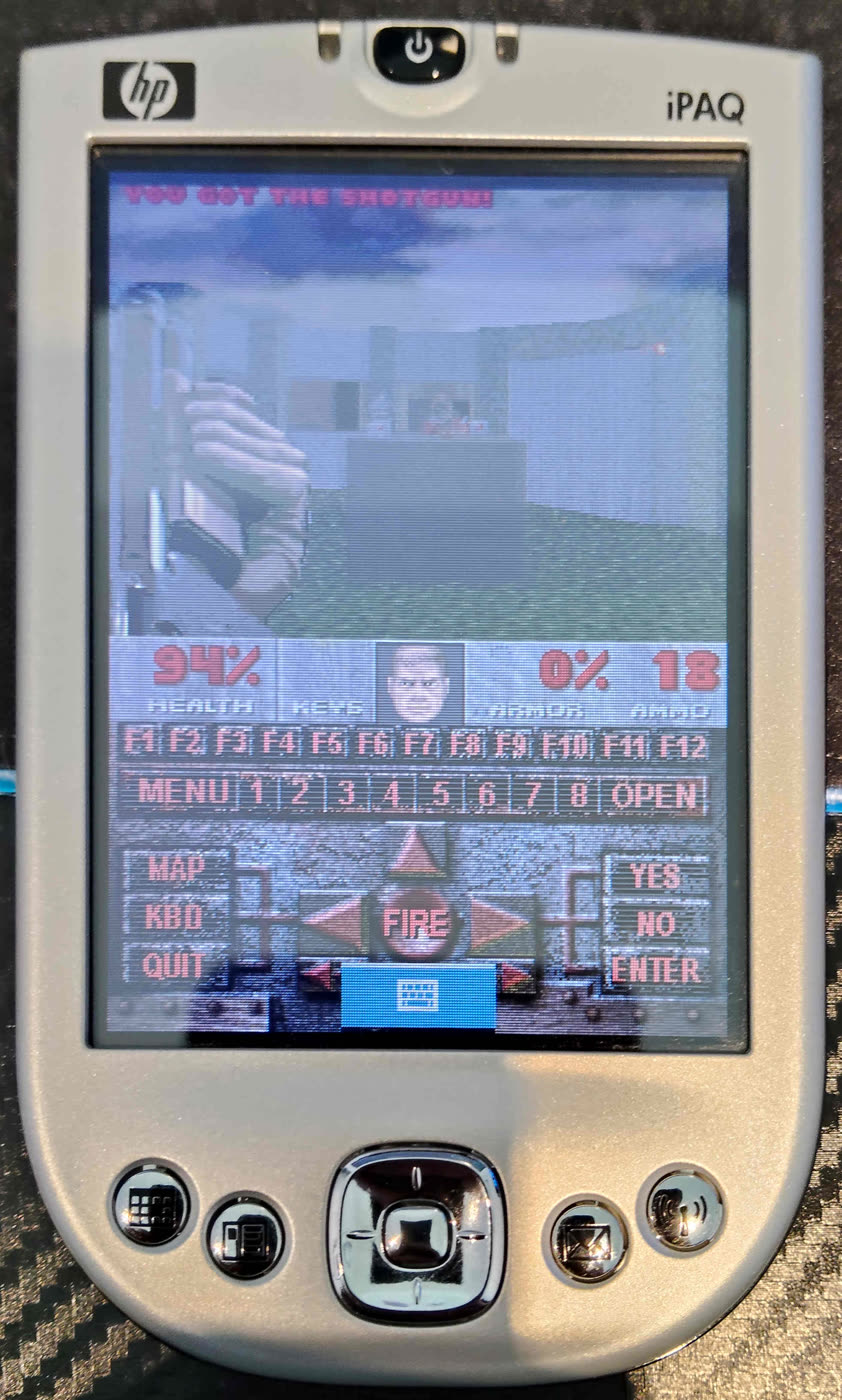
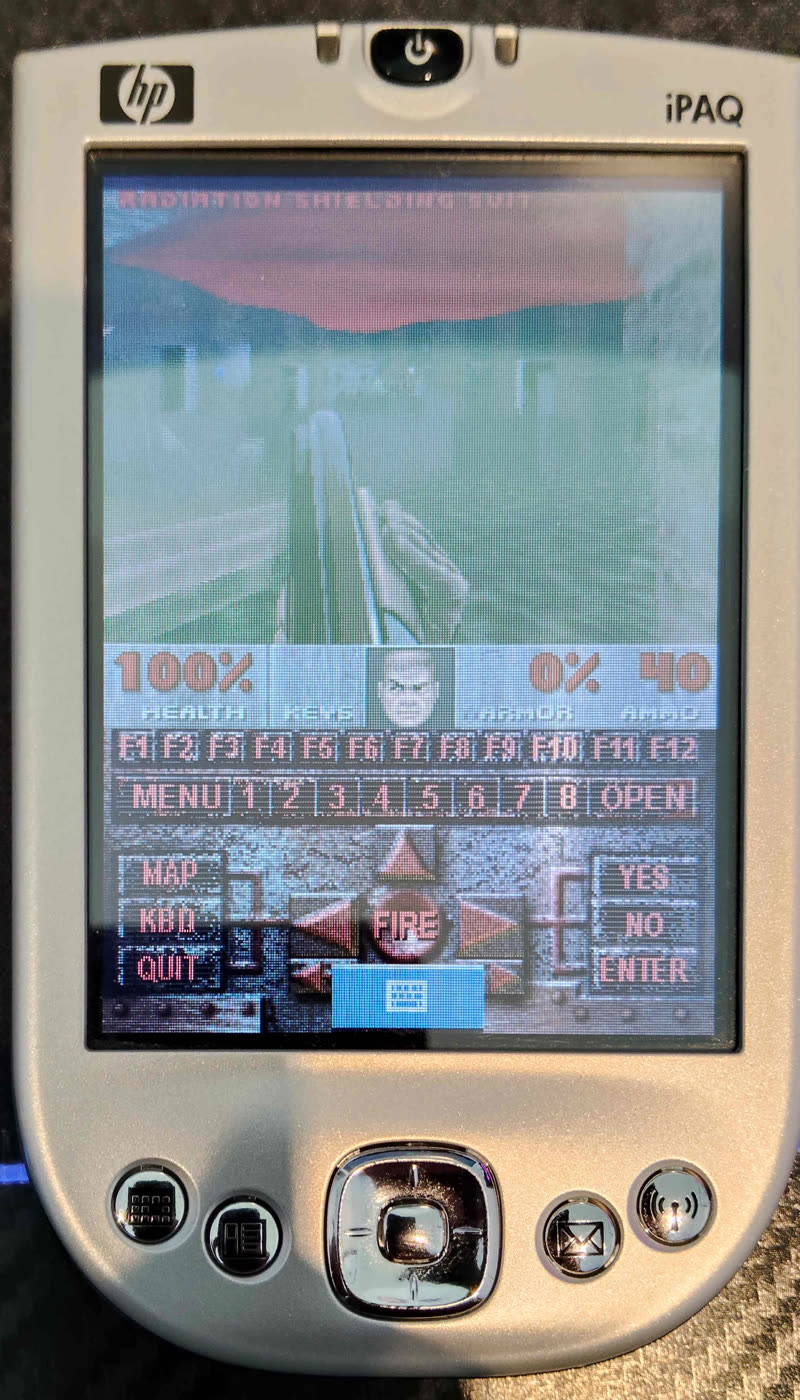
The Doom II and Plutonia title screen demos playing on the iPAQ:
The Serial Check, Revisited
Last time I worked out that wind.opt holds 4 bytes that are also appended to doom1.wad and Doom.exe. Going through cp.exe
properly shows how weak the protection really is:
cp.exeseeds the random number generator with the seconds of the current time (0–59), then makes the serial withrand() * 10000. That means there are only 60 possible serials.- It isn’t tied to the device or a registration in any way. It only shows that the three files came from the same install. Copying all three to another device works fine.
- The files are opened in append mode, so re-installing keeps adding another 4 bytes to the end of the files.
Doom.exereads 5 bytes fromwind.optbut only compares the first 3.
A replacement WAD will never have those bytes, so the check has to go. Rather than patching the three branches like last time, the first
instruction of the check now jumps straight to the success path (b 0x38604). The dead code and strings left behind turned out to be
useful as space for the new WAD paths and the other patches below.
The Techno Lamp Crash
With Doom II and TNT running, the first real problem showed up. TNT’s MAP01 crashed around the time I picked up the berserk pack. The debug log was not much help:
R_ProjectSprite: invalid sprite number %i
R_ProjectSprite: invalid sprite frame %i : %i
The port’s I_Error function passes the raw format string to the log without filling in the values. It also doesn’t stop the
game. It sets the quit flag and returns, so the game keeps running on bad data and usually crashes soon after. To get the real numbers,
Claude helped write a small 70-instruction formatter in ARM code that fills in %i %d %s %c %%. It went into the space freed by the serial
check and was tested in an ARM emulator before I put it on the device. With that in place the log said:
R_ProjectSprite: invalid sprite number 137
R_ProjectSprite: invalid sprite frame 137 : 32770
Sprite 137 is the last of the 138 sprites, TLP2, the short techno floor lamp, and frame 32770 is its fullbright frame. The berserk
was a coincidence, one of the lamps just came into view at that point. Looking at R_InitSpriteDefs, the port counts the sprites
correctly and then throws one away:
033760  ldr r0, [numsprites]    ; 138
033764  sub r0, r0, #1          ; added by the port, not in id's code
033768  str r0, [numsprites]    ; 137
The port’s developers would never have seen this as there are no techno lamps in Doom 1. Replacing the sub with a no-op
(mov r0, r0) at file offset 0x22B64 fixes it. The array was already allocated for 138 sprites, and WADs without the lamp
just get a sprite with no frames, which id’s code handles. This crash would have hit Doom II MAP04 and MAP06, Plutonia MAP01 and MAP10, and
ten of TNT’s maps.
IDCLEV in Doom II and Final Doom
The IDCLEV level warp cheat worked in The Ultimate Doom but did nothing in Doom II, Plutonia or TNT. This one isn’t the port’s fault.
It is a bug in id’s Linux source that DOS Doom II doesn’t have. In commercial mode the episode is set to 0, and the very next check
rejects any episode below 1:
if (gamemode == commercial) { epsd = 0; map = (buf[0]-'0')*10 + buf[1]-'0'; }
else                        { epsd = buf[0]-'0'; map = buf[1]-'0'; }
if (epsd < 1) return false;     // always true in commercial mode
The compiler noticed this too and reduced the whole commercial branch to an early return. The patch rewrites those checks so that in
commercial mode the episode is 1 and the map is the two digits, allowing IDCLEV01 to IDCLEV32. The limit is 32 rather than id’s 34
because none of the three WADs have a MAP33 or MAP34. Ultimate Doom behaves exactly as before.
Debug Logging
The port writes DOOMCE.DBG on every launch. Each message opens the file, writes one line and closes it again. That happens about 80 places
in the code, including six times every frame while the automap is open. Turning logging off made the game load noticeably faster from the SD card.
The patch makes both log functions return straight away.
Remembering Settings
The port forgets every setting when it exits. In id’s code M_LoadDefaults reads default.cfg and M_SaveDefaults writes it back out
when the game quits. In the port, M_LoadDefaults only fills in the built-in defaults and M_SaveDefaults has been removed entirely, so it
can’t simply be switched back on.
The optional settings patch adds two small routines. One runs after M_LoadDefaults and loads doom.cfg, and the other runs at
shutdown and saves it. It keeps the volume, messages, screen size, detail, gamma and mouse sensitivity. Rather than writing a text
parser in ARM code, the file is a small binary record, and every value is range checked so a damaged file falls back to the defaults.
Settings are only saved when quitting through Quit Game, so a crash won’t save them.
The routines sit in the exe’s code, in place of the part of the shutdown routine that writes the frame rate and timing figures
to DOOMCE.DBG. The rest of that routine, which frees buffers and closes handles, is kept. The settings file path uses the old
doom1.wad path slot. The exe stays the same size, and the only cost is losing those timing lines from the log.
Graphics for the Smaller Screen
The stock graphics were drawn for Doom’s 320×200 PC screen and don’t all fit in the port’s layout, so the patch includes a few replacement lumps:
STBARfor every game: a status bar laid out for the Pocket PC screen. FRAG becomes KEYS, the key slots and BULL/SHEL/RCKT/CELL labels are removed and an AMMO label is added.M_EPI1andM_EPI2for The Ultimate Doom: the port draws the episode menu at x = 68 instead of 48, which pushes the stock 263 pixel wideKnee-Deep in the Deadgraphic off the edge of the screen. The replacements are 163 and 172 pixels wide.
Things That Still Don’t Work
- Music. The music functions are the empty placeholders from id’s Linux source, where music came from a separate program that was never released. Sound effects use the port’s own code and work fine. Adding music would mean writing a MUS synthesizer in ARM code.
- Key bindings aren’t saved. The settings patch skips them, as vanilla Doom has no menu to change them and the port maps the Pocket PC’s buttons itself.
- Memory. The port reserves a 6MB memory pool and I haven’t tested the larger Final Doom maps against it yet.
The Patcher
Rather than hand out a list of hex edits again, the patches are wrapped up in a PowerShell script, Patch-DoomPPC.ps1. It builds a separate
executable for each game from the original Doom.exe (which is never modified), asks which optional patches you want, and shows a summary
before writing anything.
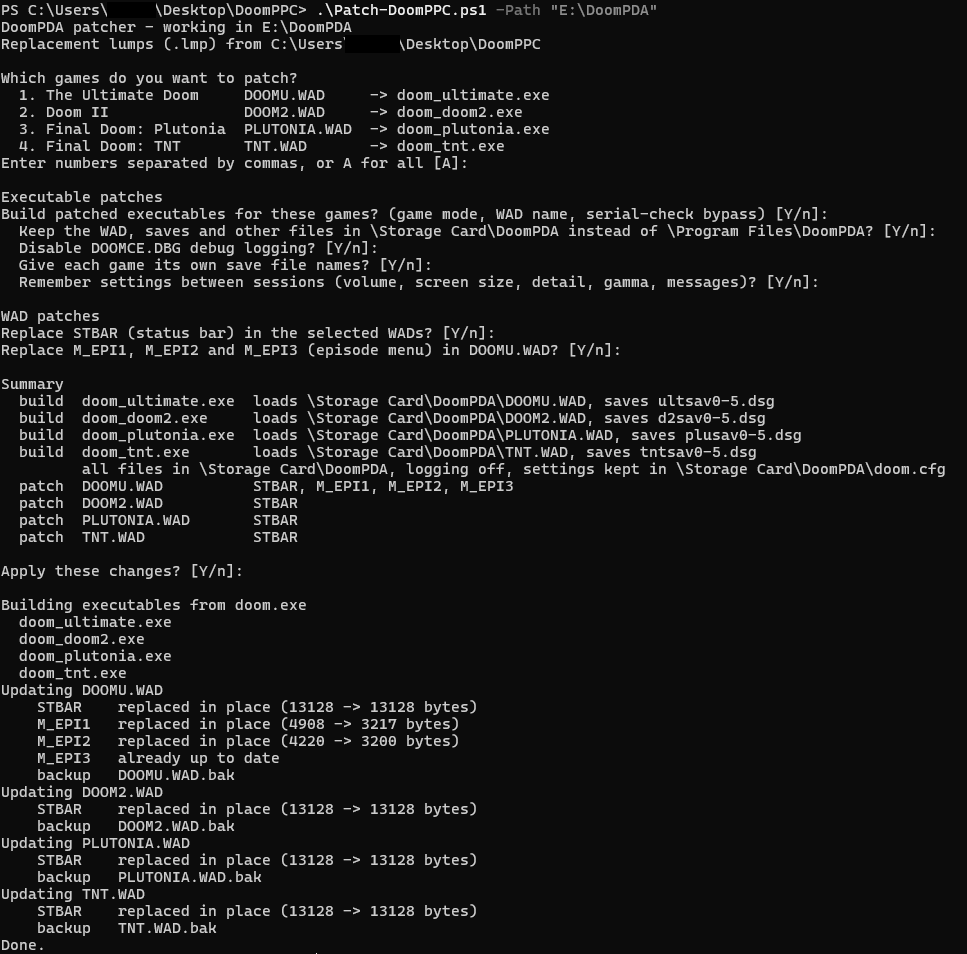
Every executable gets the game mode, its own WAD name, the serial check bypass, a missing-WAD message naming the right file, the Final Doom text, the techno lamp fix and the IDCLEV fix. Optionally it will:
- keep the WAD, saves, screen skins and debug log in
\Storage Card\DoomPDA\instead of\Program Files\DoomPDA\ - turn off debug logging, or leave it on with the formatted error messages
- give each game its own save file names (
ultsav,d2sav,plusav,tntsav) so they don’t overwrite each other’s slots - remember settings between sessions in
doom.cfg, shared by all four games - write the replacement
STBARand episode menu lumps into the WADs (a.bakcopy is made first)
You will need the Doom.exe from your DoomPDA install and v1.9 copies of DOOMU.WAD, DOOM2.WAD, PLUTONIA.WAD and TNT.WAD. Put them in the same
folder as the script, then run it from PowerShell:
.\Patch-DoomPPC.ps1
If the game files are in another folder, pass it with -Path. Add -Defaults to skip the questions and patch every game with the default answers:
.\Patch-DoomPPC.ps1 -Path E:\DoomPDA -Defaults
If PowerShell says running scripts is disabled on your system, run it with
powershell -ExecutionPolicy Bypass -File .\Patch-DoomPPC.ps1 instead.
Then copy the doom_<game>.exe files and their WADs to \Storage Card\DoomPDA\ on the device. wind.opt and cp.exe are no longer needed.
What Has Been Tested
Tested on my device: Episode 4 in The Ultimate Doom build, the TNT build running from the storage card, the formatted error log, the techno lamp fix on TNT MAP01, faster loading with logging off, and settings being saved and restored in The Ultimate Doom build. All of the title screen demos also run to completion without crashing.
Some things have only been checked by comparing bytes, by disassembling the patched builds or in an emulator so far:
- the separate save names
- the IDCLEV fix
I also haven’t played through every level of every game on the device. Some of the larger Doom II and Final Doom maps are
much bigger than anything in Doom 1, so there may still be crashes, memory problems or slowdowns that I haven’t hit yet. If you
run into one, build with logging on and the formatted error messages, then check the end of DOOMCE.DBG.
Download
The script, the replacement lumps and a README covering every option can be found in my GitHub repo.